Stock, sales and paperwork kept on your own computer
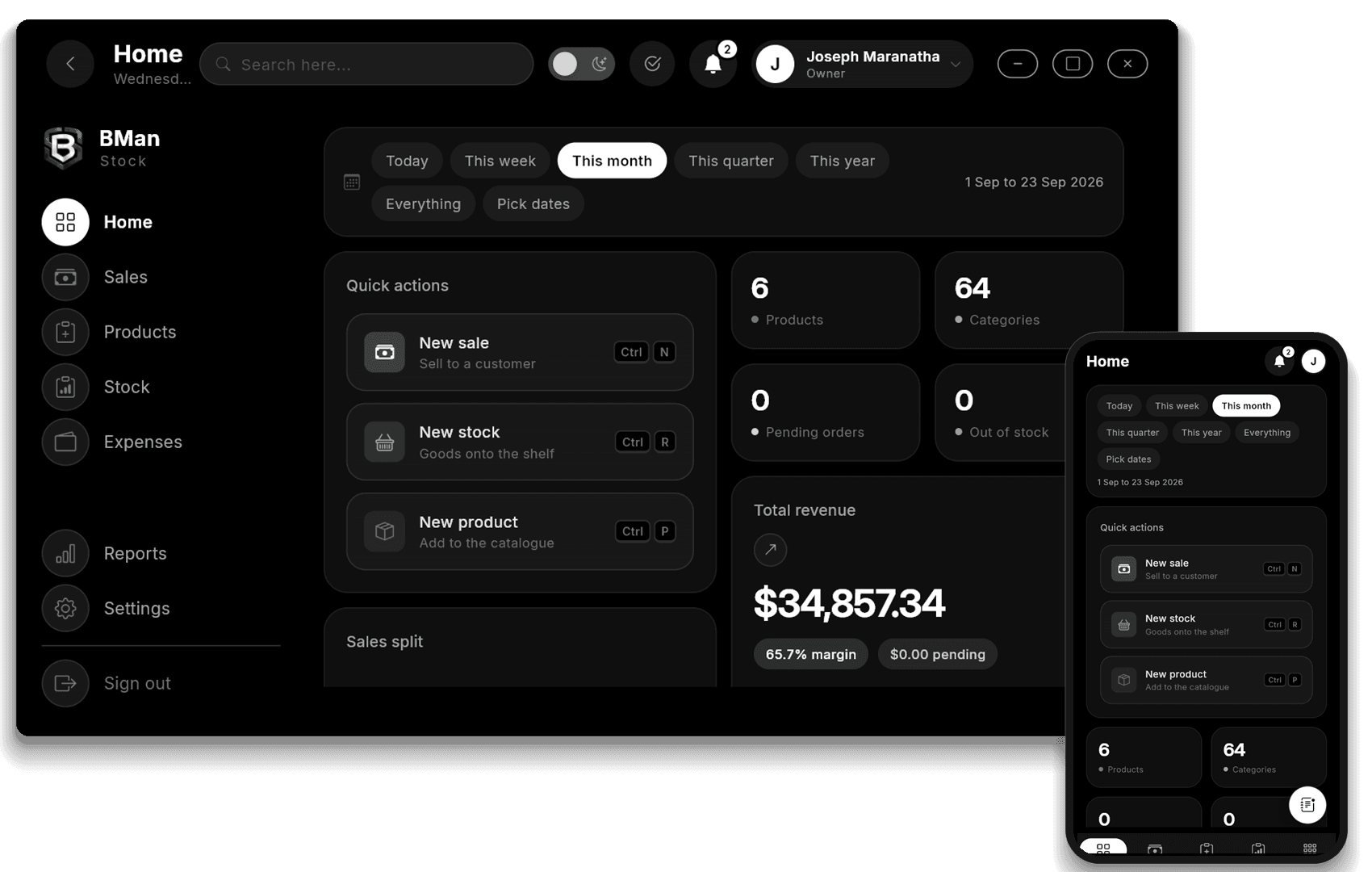
BMan Stock is the app a shop or a wholesaler runs on the computer at the counter and on the team's phones. Sell, keep track of stock, print invoices and receipts, and read the numbers, with or without internet.
No card needed. Your account is where the app downloads from, for every device you sell on. Priced in RWF.
Trusted by shops, pharmacies and wholesalers across Rwanda
- 500+
- Businesses running daily
- 30
- Districts covered
- 2M+
- Products tracked
- 4.9
- Average rating
What the app does on the shop floor.
Everything listed here is in the app today, on the computer and on the phone.
Sales and the till
Take a sale at the counter in cash, mobile money or card, paid now or owing.
Stock on the shelves
What is on each shelf, what is running out and what it costs to refill. Each category carries its own low-stock level.
Invoices and receipts
Invoices, proformas, receipts, 80mm till receipts and delivery notes, in your own logo, signature and stamp.
Reports
Profit and loss, stock and sales reports out of the box, plus reports you build yourself from your own formulas.
Supplier network
List what you carry so other businesses on BMan can find you, and ask them for stock you are short of.
Google Drive backup
A copy of the whole business in a private folder of your Drive, on a schedule, and restored from it when needed.
Team and branches
Add people on the website, give each one a role and a branch. Their devices pick the change up on their own.
Works offline
The app keeps its own database on the device. Your devices pass work to each other once there is a connection.
From the website to your first sale.
Four steps. Nothing to migrate and no consultant to book.
Start on the website
Create an account here, then start the trial or choose a plan. Everything to do with paying, the team and the branches is handled on the website.
Install it and sign the device in
Install BMan Stock on the computer at the counter, on a phone, or on both. Sign in with the same account and the device joins your business.
Set up the business and the products
Add your company details, your categories and the level each one counts as low, then type your products in or import them from a spreadsheet.
Sell, and the rest follows
Take sales at the till and record stock as it comes in. Documents, reports, backups, your team and the supplier network all run off those same records.
One price. Every feature on the plan.
Pay in RWF, upgrade whenever you outgrow it. Every plan starts with 7 days free.
Basic
One counter, one owner.
5,500RWF / mo
- 2 devices
- Owner + 2 team members
- 2,500 products
- Works mid offline
- Sales, stock, customers and suppliers
- Daily sales summaries
- Reports
- Devices
- Team
- Backups
- Branding & alerts
- Documents
- Integrations
- Support
- Report builder
- Dashboard figures
- Settings from the website
- Remote commands
- Remote PIN reset
- Who did what
- Branches
- Supplier network
Standard
A team and a couple of tills.
8,700RWF / mo
- 5 devices
- Owner + 19 team members
- 10,000 products
- Everything in Starter
- Cloud sync between your devices
- Team accounts with roles
- Backups and restore offline
- Advanced reports
- Reports
- Devices
- Team
- Backups
- Branding & alerts
- Documents
- Integrations
- Support
- Report builder
- Dashboard figures
- Settings from the website
- Remote commands
- Remote PIN reset
- Who did what
- Branches
- Supplier network
Premium
Several branches with a control.
24,900RWF / mo
- 10 devices
- Unlimited team members
- Unlimited products
- Everything in Standard
- Access levels for every role
- Backups to your own cloud storage
- Email alerts and scheduled reports
- Your branding on receipts and documents
- Branch and Team management
- Notes book
- Priority support
- Reports
- Devices
- Team
- Backups
- Branding & alerts
- Documents
- Integrations
- Support
- Report builder
- Dashboard figures
- Settings from the website
- Remote commands
- Remote PIN reset
- Who did what
- Branches
- Supplier network
Business
Custom pricing
Priced for your business
Contact sales- Unlimited devices
- Unlimited team members
- Unlimited products
- Everything in Pro plus
- Custom follow ups and maintance
- AI Agents usage on platform
- API Access
- Reports
- Devices
- Team
- Backups
- Branding & alerts
- Documents
- Integrations
- Support
- Report builder
- Dashboard figures
- Settings from the website
- Remote commands
- Remote PIN reset
- Who did what
- Branches
- Supplier network
Prices exclude VAT · MTN MoMo, Airtel Money and card accepted
Questions, answered.
Does it work without internet?
Yes. The app keeps its own database on the device, so sales, stock, receipts and reports all work with no connection. Work waiting for your other devices simply sits there until a connection returns.
Where is my data kept?
On the device it was entered on. Nothing about your trade leaves the machine unless you send it, such as a backup you set up or a report you email. Work moving between your own devices is sealed for the receiving device alone, and the relay in between can see who it is for and nothing else.
Can my team use it?
Yes, on Basic, Standard, Premium and Business. You invite people on the website, give each one a role and a branch, and their devices follow the change on their own.
Can I use it on a phone and a computer at once?
Yes. It runs on computers and on phones, and each plan covers a set number of devices. On Basic, Standard, Premium and Business the devices pass their work to each other, so the till on the phone and the books on the computer agree.
What happens when my subscription ends?
The app locks and stops opening your pages until the plan is renewed. Nothing you recorded is deleted. Renew on the website and the app opens again with your data as you left it.
How do backups work?
You can write a copy of the whole business to a file on the machine at any time, and restore from that file. On plans that include it you can connect Google Drive: copies go to a private folder that belongs to the app alone, every day, week, month or on a day you pick, and you can restore from any copy kept there.
What is the supplier network, and what does it share?
It is a directory of businesses on BMan. Turn it on and you list the names of the products you carry, plus the contact details you choose to show, so a business short of something can find you. Your prices, takings and customers never leave your machine. A request travels only between the two businesses in it.
How do I get my logo and stamp onto my invoices?
Open Branding in the app on a computer. Each kind of document (invoice, proforma, receipt, till receipt, delivery note) points at its own logo, signature and stamp, and carries its own words above and below. A preview shows the full sheet as it will print.
Ready to get started?
7 days of full Premium access. No card, no setup fee, nothing to uninstall if it is not for you.